
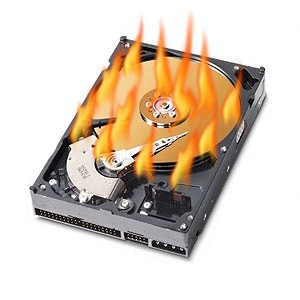
Catastrophic hard drive failures happen. I have had one laptop drive go bad, although I don’t recall the brand. The Snider home laptop suddenly started throwing SMART errors and I could tell that it was sticking and freezing up (not a good thing for something that rotates at 5400 RPM). Thankfully, the other year they got a backup system (ClickFree drive) that automatically backs up their personal files whenever it is attached.
I ordered them a SSD drive (no moving parts!) from NewEgg (just $2 for 3 day shipping!) and we went through the process of salvaging as much of his “old” Western Digital drive as possible, and cataloging programs that needed reinstalling (or deciding what was “old” and didn’t need to be reinstalled). Thankfully, the bulk of files were documents that had already been backed up. The biggest problem that I found was actually getting the drive to slide into the SATA port. Apparently the half-height of the SSD doesn’t line up perfectly when using a caddy designed for a HDD. Unfortunately it took several hours for me I figure out that this was the problem – the motherboard was not recognizing the hard drive because the hardware was not actually attached.
Lesson of the day: don’t start a major hardware install at 10 pm.
Other lesson of the day: always have a backup!
Once I actually got the computer to recognize the drive, the restore/reinstall process didn’t actually take that long (even after a couple of trial and errors to get the install configuration just right). A fresh OS install feels so nice and clean!



Recent Comments